2. Setup Guests
Important
Always start RTOS as first guest, as this will create the initial instance of RtosVnet!
2.1. Host
No setup required, as this guide uses the default IP address (192.168.157.1) of the Host.
2.2. RT-Linux
No setup required, as this guide uses the default IP address (192.168.157.2) of the RTOS.
2.3. Linux I (UBUNTU)
2.3.1. Linux I Host-side guest configuration
Attention
This changes must be done on the Host side for the Linux (UBUNTU) guest!
Open configuration script of ubuntu and edit the rtosvnet_nw value.
cd /hv/guests/examples/ubuntu
gedit ./usr_guest_config.sh
Search the following line:
# Private RtosVnet network between RTOS and GP-OS
export rtosvnet_nw=0
and change it to:
# Private RtosVnet network between RTOS and GP-OS
export rtosvnet_nw=1
Hint
Changes to the other values of the RtosVnet config section only needed if different IP ranges or names are required!
2.3.2. Linux I Guest-side configuration
Attention
These changes must be done inside the running Linux (UBUNTU) guest!
Caution
To start the Linux I (UBUNTU) guest with a loaded RtosVnet instance, the Rtos (RT-Linux) must be started before!
start
RT-Linux
cd /hv/guests/examples/rt-linux
hv_guest_start -view
start
Linux I (UBUNTU)guest
cd /hv/guests/examples/ubuntu
hv_guest_start -view
Switch into UBUNTU guest and goto Settings -> Network and edit the ens10 adapter.
Goto IPv4 tab and edit the following values:
IPv4 Method: manual
Address: 192.168.157.10
Netmask: 255.255.255.0
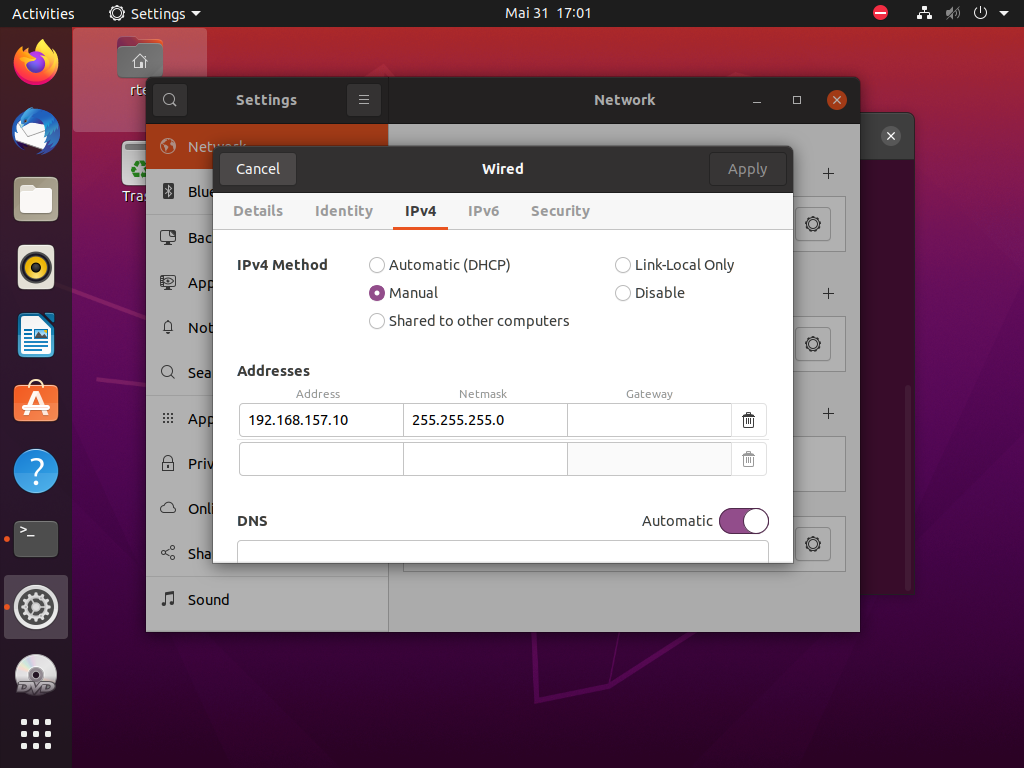
Fig. 2.1 Linux guest I (UBUNTU) network config settings dialog.
2.4. Linux II (UBUNTU)
2.4.1. Linux II Host-side guest configuration
Attention
This changes must be done on the host side for the Linux (UBUNTU) guest!
Open the appropriate guest configuration script of the ubuntu2 guest and edit the rtosvnet_nw value.
cd /hv/guests/examples/ubuntu2
gedit ./usr_guest_config.sh
Search the following line:
# Private RtosVnet network between RTOS and GP-OS
export rtosvnet_nw=0
and change it to:
# Private RtosVnet network between RTOS and GP-OS
export rtosvnet_nw=1
Hint
Changes to the other values of the RtosVnet config section only needed if different IP ranges or names are required!
2.4.2. Linux II Guest-side configuration
Attention
This changes must be done in running Linux (UBUNTU) guest!
Caution
To start the Linux II (UBUNTU) guest with a loaded RtosVnet instance, the Rtos (RT-Linux) must be started before!
start
RT-Linux(if not yet started!)
cd /hv/guests/examples/rt-linux
hv_guest_start -view
start
Linux II (UBUNTU)guest
cd /hv/guests/examples/ubuntu2
hv_guest_start -view
Switch into UBUNTU guest and goto Settings -> Network and edit the ens10 adapter.
Goto IPv4 tab and edit the following values:
IPv4 Method: manual
Address: 192.168.157.11
Netmask: 255.255.255.0
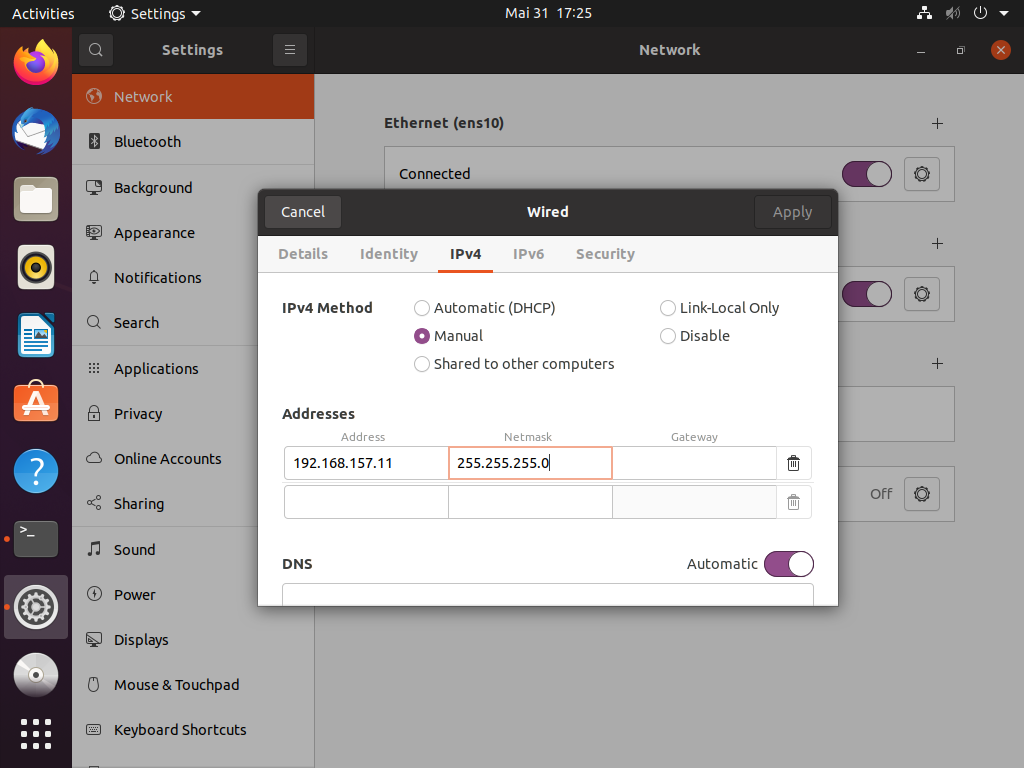
Fig. 2.2 Linux guest II (UBUNTU) network config settings dialog.
2.5. Final IP configuration
Host: 192.168.157.1RT-Linux: 192.168.157.2Linux I (UBUNTU): 192.168.157.10Linux II (UBUNTU): 192.168.157.11