4. Graphical user interface
4.1. Overview
- This section gives an overview about the graphical user interface:
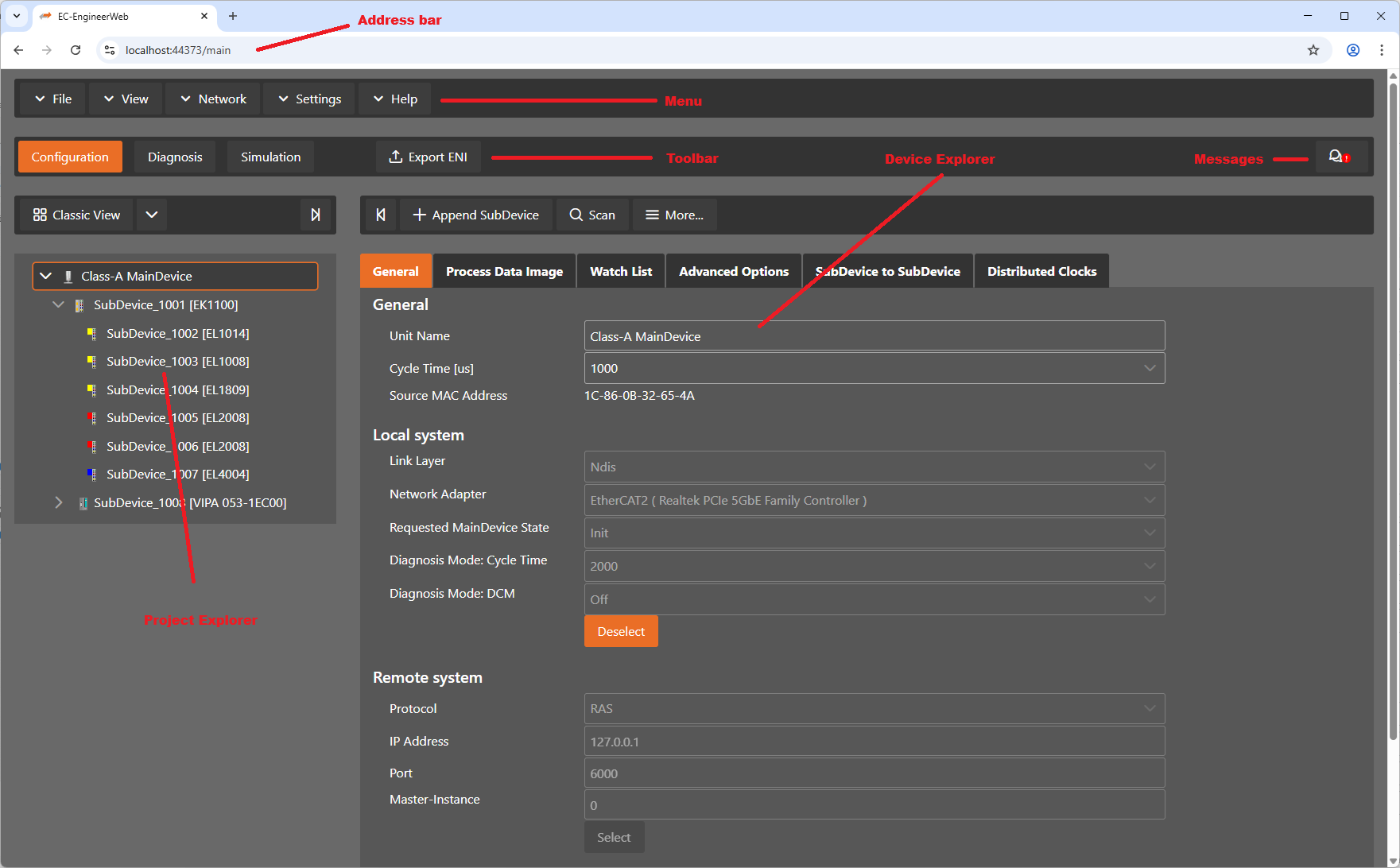
- The graphical user interface is divided into five parts:
- Address bar
To open the GUI of the Client in a Browser. To connect with you server, just enter the IP address
- Menu/Tool/Status bar:
Shows current status or mode of the EC-EngineerWeb and allows the user to change it.
- Project Explorer:
Shows different views of the current network configuration
- Device Editor:
Show information about the selected device, like process variables.
- Messages:
Shows notifications which occur e.g. when the EtherCAT Device has changed its operation state or a SubDevice has been removed from (or added to) the EtherCAT network.
4.3. Project Explorer
4.3.1. Configuration Mode
There are three topology visualisation views:
- Classic View
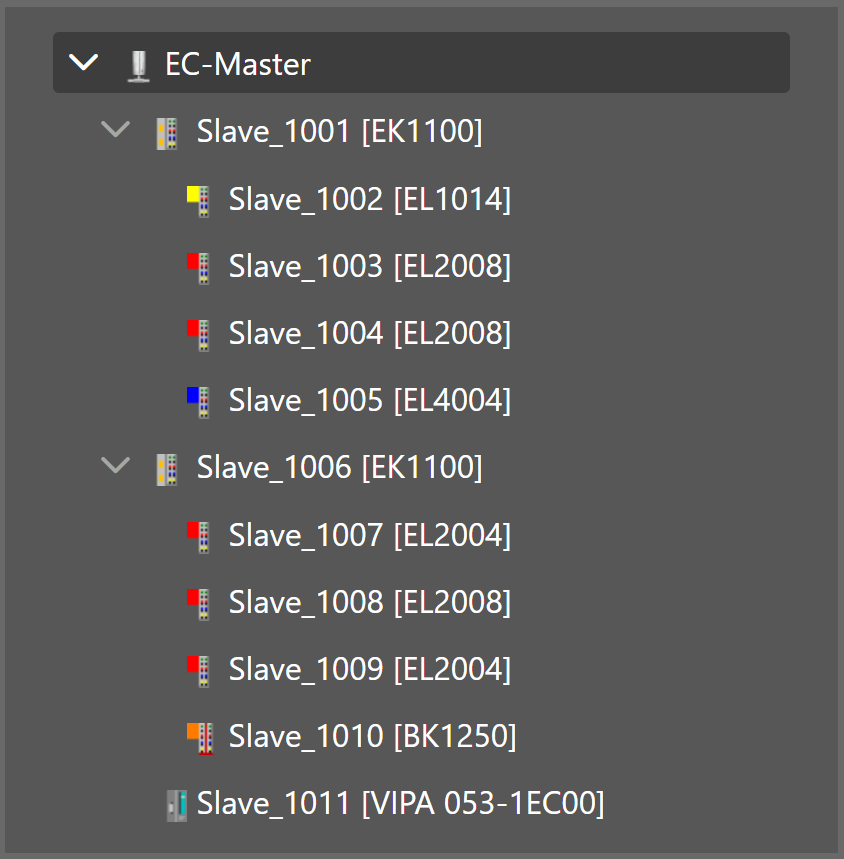
This is a tree view with multiple levels.
- Flat View
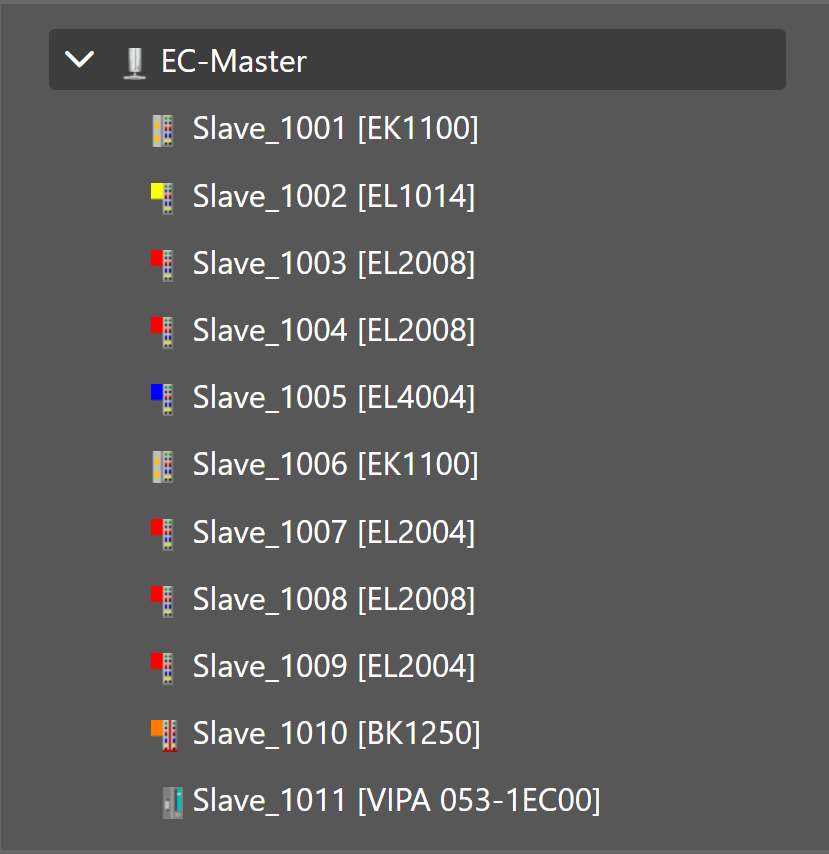
This view shows all SubDevices in a flat list, as they are connected in the EtherCAT network.
- Topology View
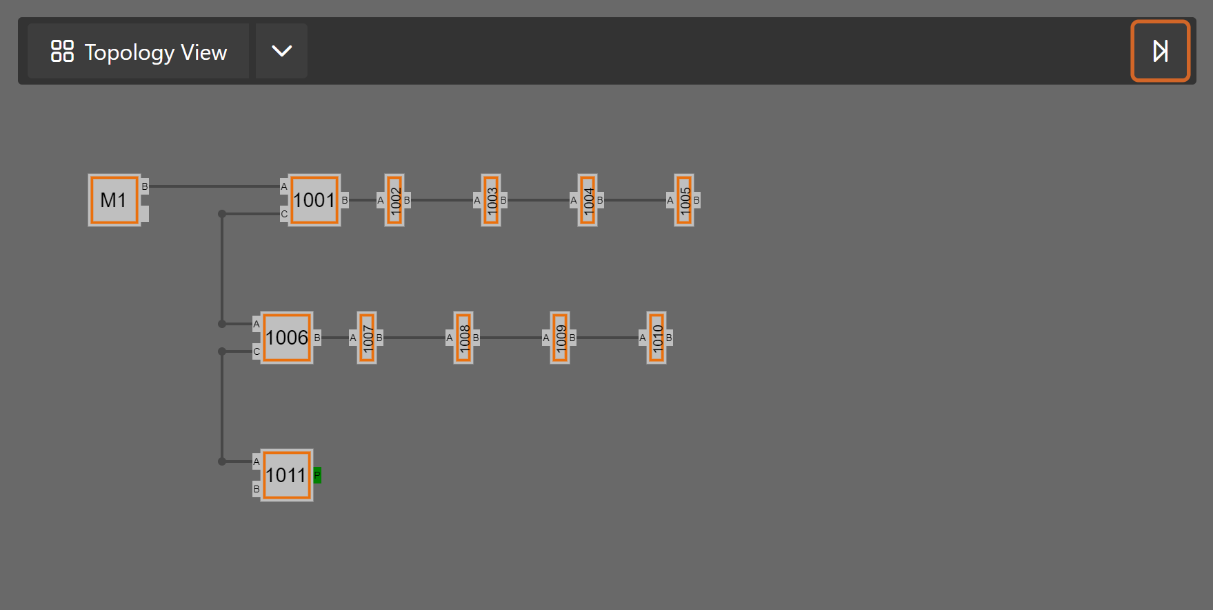
This view shows a graphical tree of all SubDevices, as they are connected in the EtherCAT network.
4.3.2. Diagnosis Mode
There are three topology visualisation views:
- Classic View
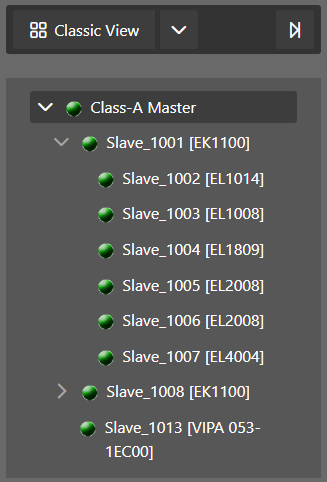
This is a tree view with multiple levels.
- Possible device states:
 Init Bootstrap
 Pre-Op
 Safe-Op
 Op
Op
- Flat View
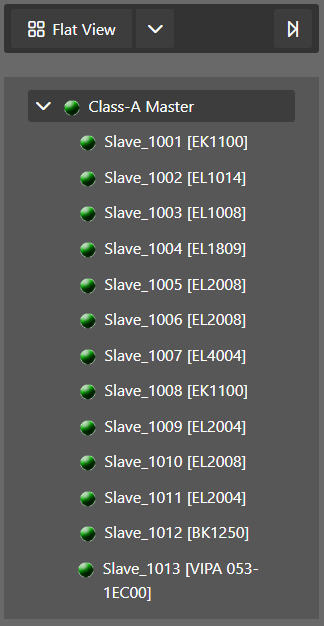
This view shows all SubDevices in a flat list, as they are connected in the EtherCAT network.
- Possible device states:
- Init Bootstrap Pre-Op Safe-Op Op
- Topology View
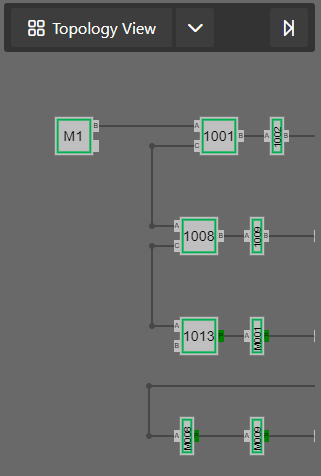
This view shows a graphical tree of all SubDevices, as they are connected in the EtherCAT network.
- Possible device states:
- Init Bootstrap Pre-Op Safe-Op Op
- Possible port states:
- Bad Cable Quality Constricted Cable Quality
 Good Cable Quality
If cable quality is constricted or bad, please check the error counters of the SubDevice (for more information about error counters, see Error Counters (Expert)).
4.4. Device Editor
- This Editor gives the user the possibility to read and write information of the selected device or SubDevice:
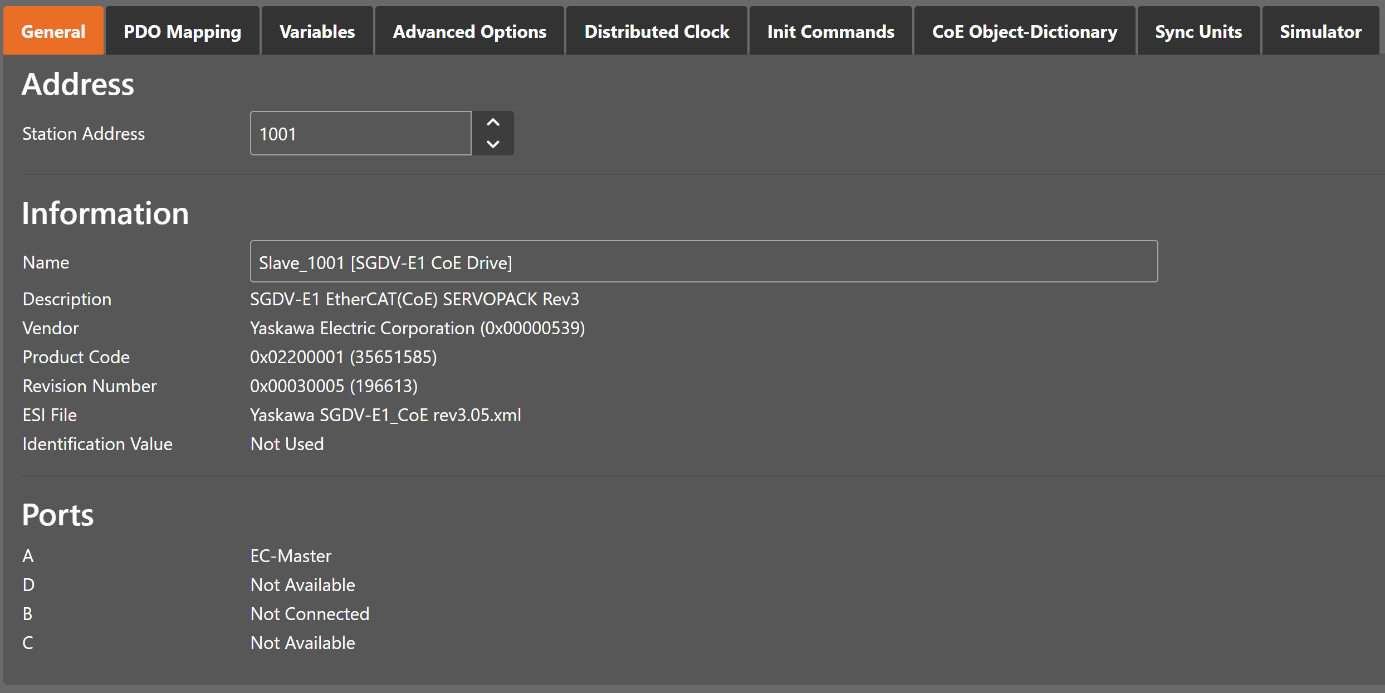
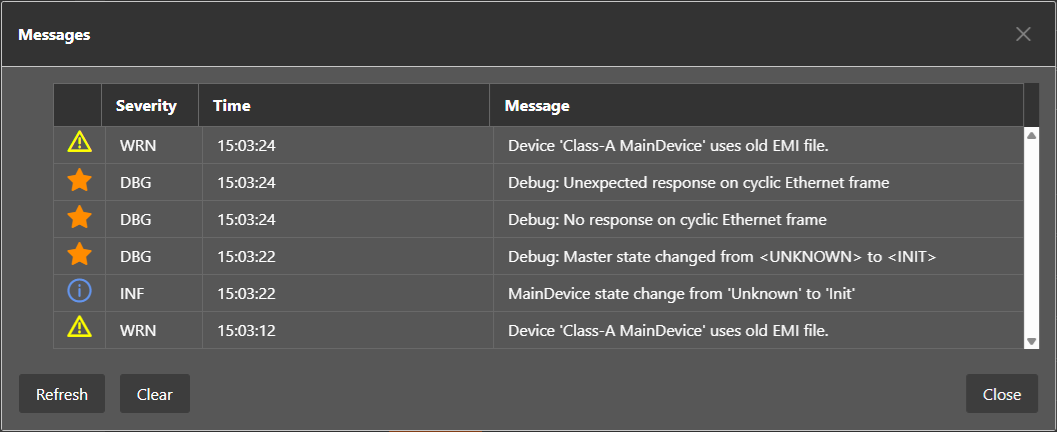
4.5. Message Window
- Shows notifications which occur e.g. when the EtherCAT MainDevice has changed its operation state or a SubDevice has been removed from (or added to) the EtherCAT network: