4. Part C - guest folder
The debug monitor and the compiled debug files of the RTOS-32 project need to be available on the Hypervisor Host.
4.1. Recommended
It is recommended to create a network share for the guest folder (e.g. /hv/guests/guestrtos32 directory on the Hypervisor Host).
Note
Every time a DLM project is changed and rebuilt on the Development PC it is required to copy it into the Hypervisor Host again!
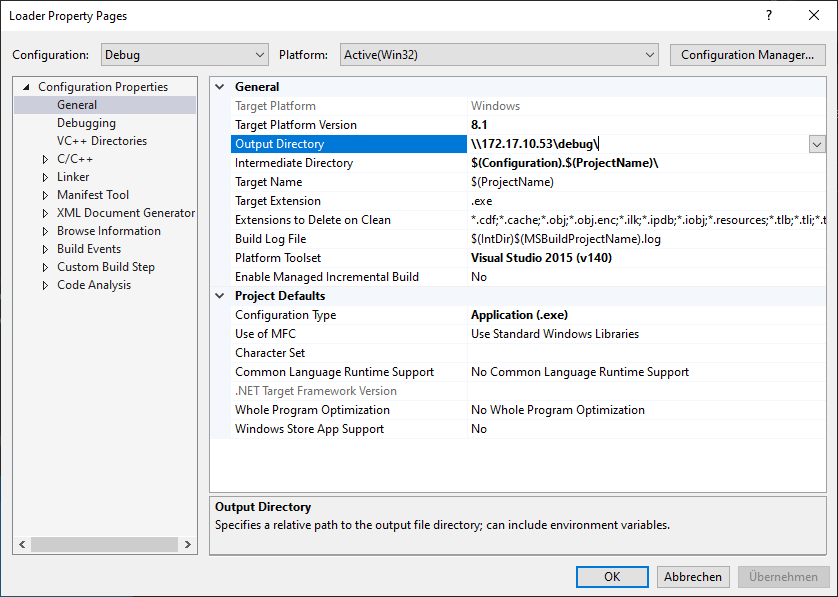
Therefore it’s recommended to use the network share as output directory of the Visual Studio project.
As the Hypervisor Host is based on Linux, a SMB server is needed to accomplish this.
The Hypervisor Host includes such an SMB server (SAMBA), this server must be properly configured for this specific task.
Hint
The default user in this document is rtv. You may have to change this to your respective user. This user must also be a valid user on the Hypervisor Host. If it is missing, you may run the following command:
sudo adduser rtv
To create a file share which is accessible from a remote Windows computer, go to the SAMBA configuration file:
sudo mousepad /etc/samba/smb.conf
Add the following section to the end of the smb.conf file (if not yet available). Update the path entry in the config file to match your guest folder, and then save the changes.
[debug]
  comment = Remote debug
  path = /hv/guests/guestxxxx
  browseable = yes
  valid users = rtv
  guest ok = yes
  read only = no
Allow the user rtv to access the SAMBA share:
sudo smbpasswd -a rtv
Restart the SAMBA service:
sudo systemctl restart smbd.service nmbd.service
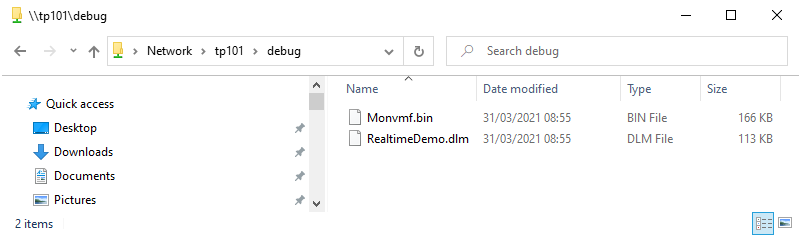
To check, if the share is active, try to access the SAMBA share from the Windows explorer.
You may have to use the IP address of the hypervisor.
4.2. Copy the Debug Monitor
In the following, the IP address 172.17.10.53` is used for the Hypervisor Host computer.
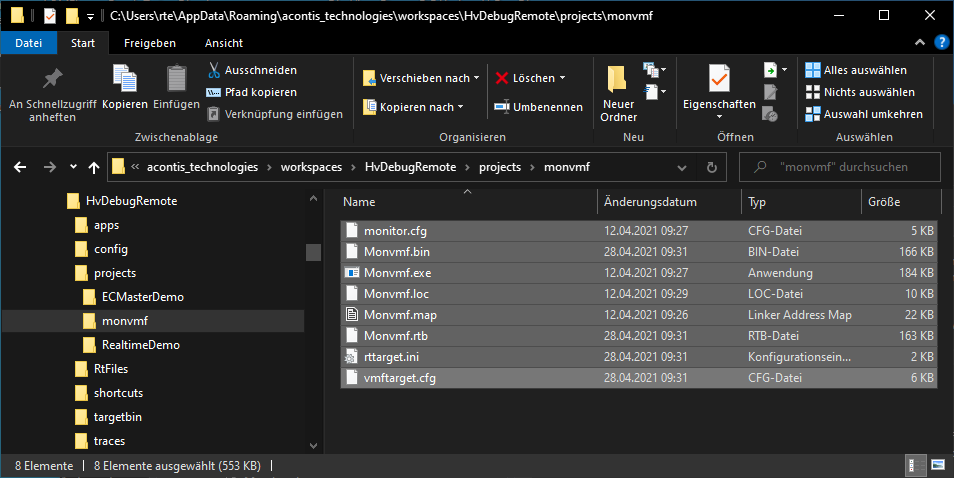
Copy the whole Debug Monitor directory <host>\%WORKSPACE%\projects\monvmf\*.* to \\172.17.10.53\debug\*.* and override the existing files. Do not remove any existing folders!
Hint
Some of the files will be updated after rebuild of VS project.
4.3. Visual Studio Project Settings
The following screenshot shows how to set the output directory to the Hypervisor Host with IP address 172.17.10.53 and the network share name debug. This setting is required for both projects within the Visual Studio solution (Loader as well as the DLM/DLL project).
Caution
Adjust the IP address accordingly to your needs.