3. Hypervisor Initialization
3.1. First Time Initialization (V8.x only)
After the installation of RTOSVisor, the boot configuration Configure RTOSVisor is automatically executed during the first startup and RTOSVisor is initialized. Afterwards, RTOSVisor automatically restarts.
3.2. Reset Hypervisor Initialization
At any time later, you can reset the hypervisor initialization using the hv_resethv command.
The hv_resethv can only by called after booting the Hypervisor with selecting the Configure RTOSVisor boot menu entry.
Running this command will also reset the configuration (located in /hv/config).
You should preserve the previous configuration and guest settings in case you have changed them.
The hv_resethv command will automatically try to preserve these folders (e.g. into /hv/config.bak).
If these preserved folder already exist, you may run hv_resethv -force to automatically remove the current settings without preserving them.
hv_resethv [-force]
3.3. Timezone, date and time
If you want to change the timezone, run the following command in a terminal window:
sudo dpkg-reconfigure tzdata
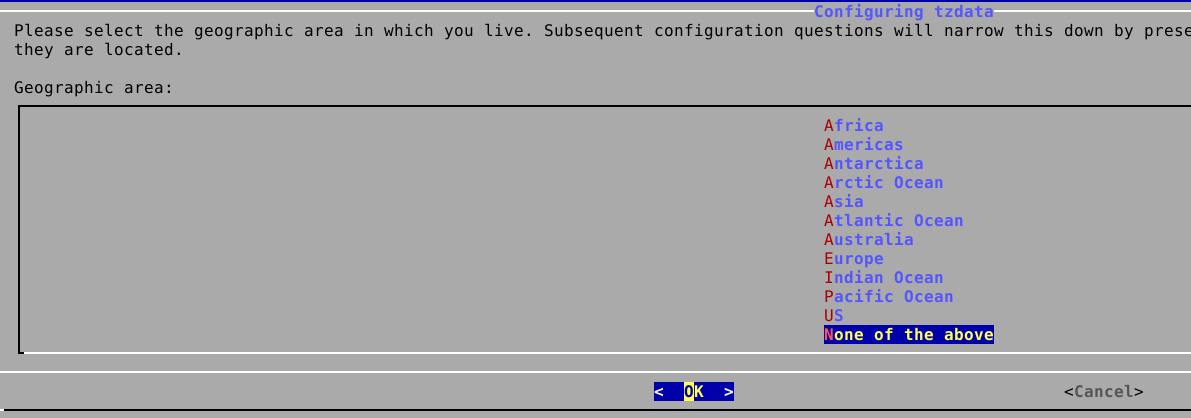
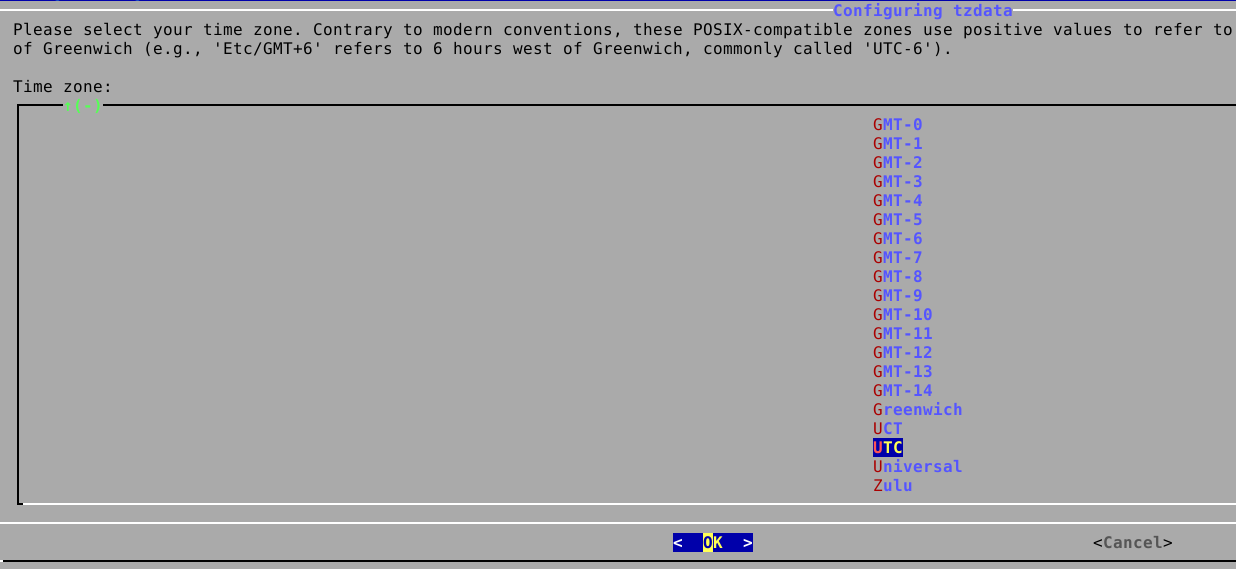
Then you will be prompted to select the appropriate timezone.
If you want to use UTC, follow these steps:
To set the date and time, use the following command:
sudo timedatectl set-time 'YYYY-MM-DD HH:MM:SS'
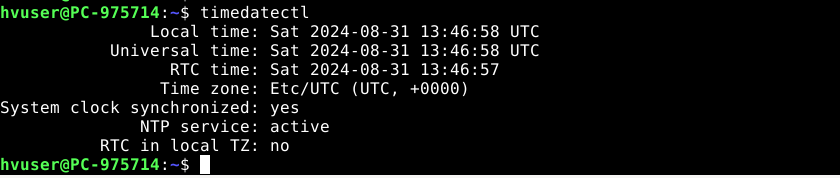
To verify the current time and date settings, run the following command:
timedatectl
Date and time can be synchronized using NTP (Network Time Protocol). You can turn off NTP as follows:
sudo timedatectl set-ntp false
You can turn on NTP as follows:
sudo timedatectl set-ntp true
You can check the NTP settings as follows:
sudo timedatectl show-timesync --all

3.4. Keyboard layout (language)
The keyboard layout may be changed depending on the type of keyboard that is connected to the PC.
Use the menu to change the settings:

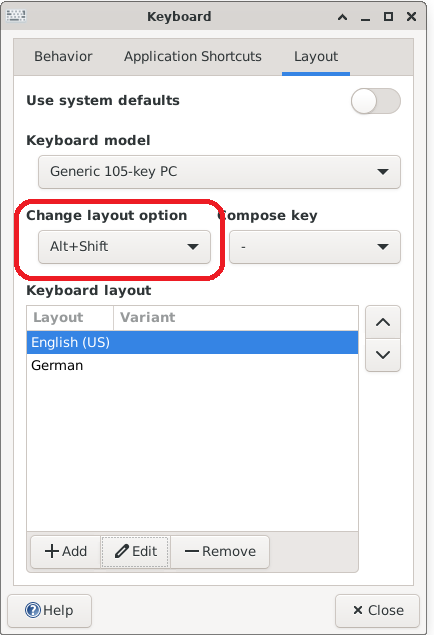
Then you need to switch to the Layout tab and unselect Use system defaults. Next, please add the new layout which fits your requirements.

You may remove layouts that you don’t need or, alternatively, edit the existing layout instead of adding a new one.
Optionally, you may switch between multiple keyboard layouts using a shortcut.