5.22. Beckhoff CUxxxx Multiplier - emllMultiplier
The parameters to the Multiplier Real-time Ethernet Driver are setup-specific. The function “CreateLinkParmsFromCmdLineMultiplier” in EcSelectLinkLayer.cpp demonstrates how to initialize the Real-time Ethernet Driver instance.
-
struct EC_T_LINK_PARMS_MULTIPLIER
Public Members
-
EC_T_LINK_PARMS linkParms
Common link parameters. Signature must be set to EC_LINK_PARMS_SIGNATURE_MULTIPLIER.
-
EC_T_MULTIPLIER_TYPE eMultiplierType
Type of the Multiplier Ethernet port
-
EC_T_LINK_PARMS *pHwLinkParms
Link parameters of network adapter connected to the uplink of the Multiplier
-
EC_T_LINK_PARMS linkParms
5.22.1. Configuration with EC-Engineer
This configuration is valid for one downlink port. For each used CUxxxx multiplier downlink port, a new configuration should be arranged.
Start EC-Engineer in Offline Configuration modus.
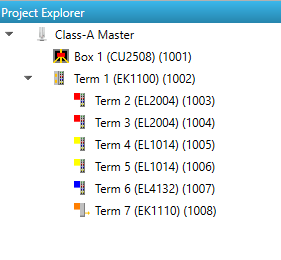
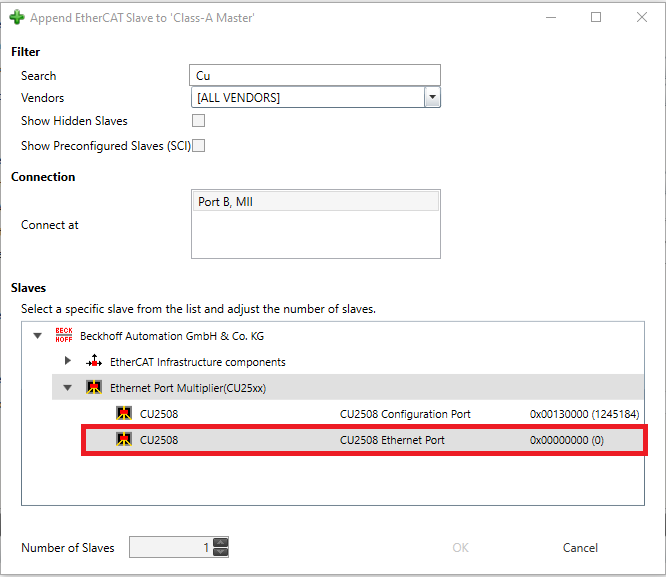
Add the CU2508 Ethernet Port as your first SubDevice.
Append the SubDevices that you are going to connect to the port.