
3.9. Trace Data
Trace Data allows applications to trace data in real-time on the network. To ensure real-time transmission, it is implemented as part of the cyclic process data.
They are placed behind the SubDevice output data in the output area of the process data image of the EtherCAT® application.
The trace data area can be configured either via the ENI with the help of the EC-Engineer or without changing the ENI using the API emTraceDataConfig().
Trace Data can be captured with a network monitoring tool like Wireshark.
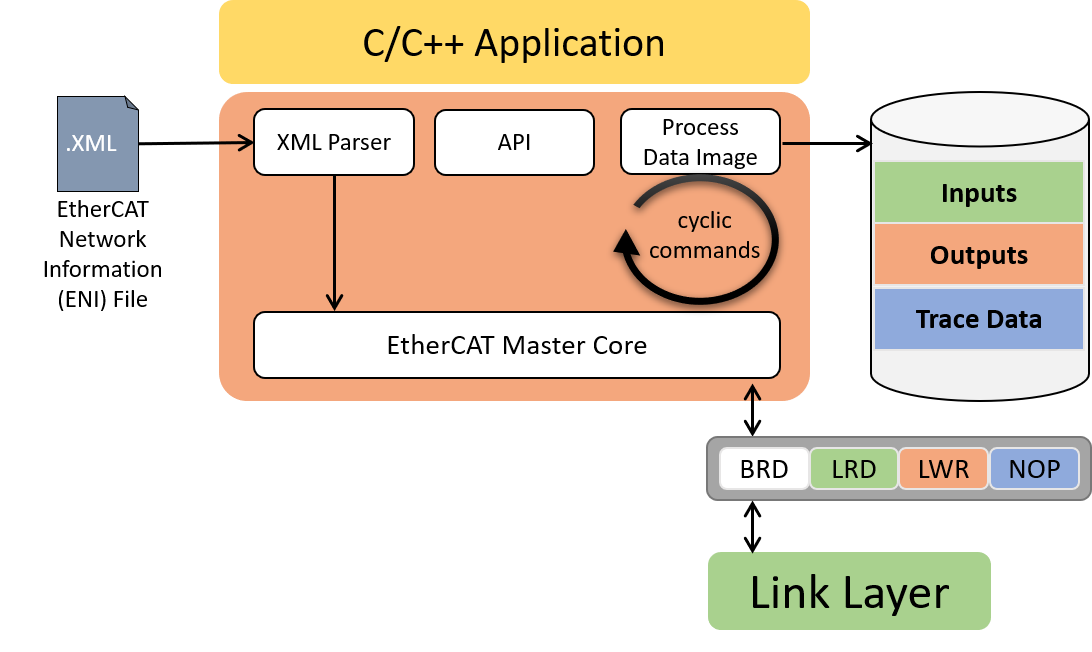
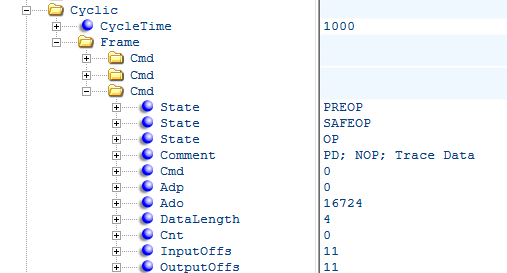
To transfer the data, an additional NOP cmd is appended to the end of the cyclic EtherCAT® frame. The NOP cmd has ADP 0 and ADO 0x4154. The EC-Master automatically fills the data area of the NOP Cmd with the current trace data when sending cyclic frames. Since the trace data are transferred to the network as NOP Cmd, they are not evaluated by any ESC. Therefore, the WKC of the trace data remains 0 and the application cannot validate the data.
3.9.1. Trace Data configuration via EC-Engineer
The easiest and most comfortable way to create trace data variables is with the help of the EC-Engineer.
The necessary NOP cmd and the process data variables are automatically created and exported to the ENI. The process variables can be accessed as usual using the emFindOutpVarByNameEx() function.
- Trace data variables of any size and number can be created in the Variables tab of the EC-Engineer:
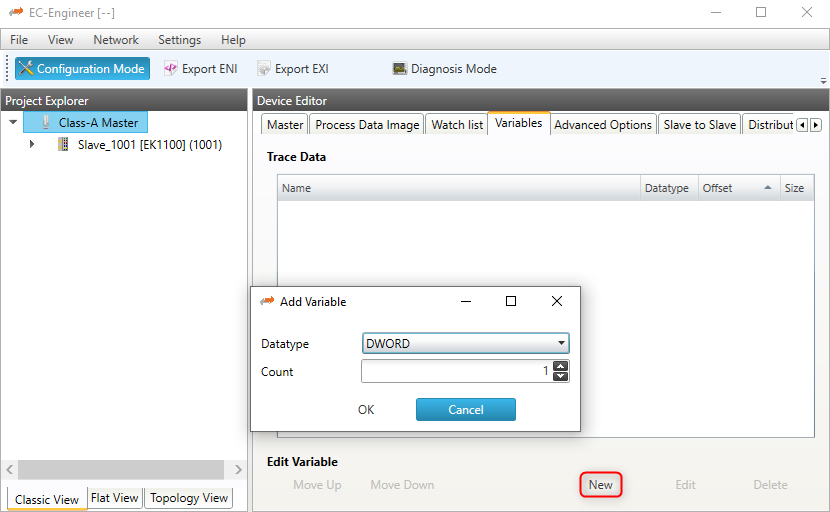
- The automatically created variable names can also be edited:

- The generated process variables can be found in the exported ENI file:

- As well as the NOP cmd:
3.9.2. Trace Data configuration via API
The application can configure the trace data size using the emTraceDataConfig() API.
The trace data configuration must take place between the initialization of the EC-Master (emInitMaster()) and the configuration of the network (emConfigureNetwork()).
During emConfigureNetwork() the EC-Master tries to expand the process image output area by the trace data buffer and generates the corresponding NOP cmd.
Access to the trace data buffer is via an offset to the process data output image. The offset can be determined via the API emTraceDataGetInfo().
Configuration of the trace data buffer:
//emInitMaster();

emTraceDataConfig(dwInstanceId, sizeof(EC_T_DWORD));

//emConfigureNetwork;
Access to the trace data buffer:
EC_T_TRACE_DATA_INFO oTraceDataInfo;
emTraceDataGetInfo(dwInstanceId, &oTraceDataInfo);

EC_SET_FRM_DWORD(oTraceDataInfo.pbyData + oTraceDataInfo.dwOffset, 0x11223344);
Warning
Trace data, encapsulated in an additional EtherCAT® Cmd, must fit in the first cyclic frame.
Trace data is not available for the fixed cyclic frame layout
EC_T_CYCFRAME_LAYOUT::eCycFrameLayout_FIXED.